
Your internet bill, phone plans, streaming services, devices, and small accessory purchases can look reasonable one at a time. Together, they may tell a different story.
An annual technology cost review brings those expenses into one place so you can make three decisions: keep what is useful, cut what is unnecessary, and change what could work better for the money.
It should also help you prepare for the next device replacement. Saving on subscriptions is less satisfying if an unexpected laptop purchase immediately consumes the money.
This is a practical review framework with a clearly labeled worked example. The figures are invented for illustration; they are not records of the author's household.
Start with a full year of actual spending
Choose a specific twelve-month period—a calendar year or a rolling year ending with your most recent complete month. Use that same period throughout the review.
Gather bank and credit-card statements, retailer receipts, app-store purchases, internet and mobile bills, and any relevant family account records. Review them privately; a budgeting tool does not need your passwords or complete payment details.
Include more than subscriptions:
Spending group | What belongs here |
|---|---|
Connectivity | Internet service, mobile service, and separately billed equipment rental |
Digital services | Streaming, paid apps, games, memberships, and cloud storage |
Devices and repairs | Computers, phones, tablets, network equipment, batteries, and repair labor |
Accessories | Chargers, cables, cases, adapters, printer supplies, and storage drives |
Record what was actually charged, including relevant taxes and fees. Subtract actual refunds and reimbursements once. If a bundled bill includes phone financing, split service and device payments when the statement allows, but do not count the same charge twice.
For this cash-spending review, count device installments paid during the period rather than also adding the phone's full purchase price. Record unpaid installments separately as future commitments.
A transfer into a replacement savings account is not money spent on technology yet. Keep it separate too.
Here is a hypothetical twelve-month household example, using assumed all-in amounts:
Category | Amount paid during the reviewed period |
|---|---|
Internet service | $960 |
Mobile service | $1,440 |
Streaming and paid apps | $540 |
Cloud storage | $120 |
Device purchases or installments | $600 |
Repairs | $120 |
Accessories | $90 |
Total actual technology spending | $3,870 |
These figures are not a recommended budget or an estimate of the average American family. They simply show how recurring bills and occasional purchases belong in the same review.
Ask everyone what earned its place
A service you rarely open may be important to someone else in the household. Before canceling, ask each person which devices and services they actually use, what they would miss, and what has become frustrating.
Give each expense a short reason to stay. “Used for school every week” tells you more than “we might need it.” “Contains our only copy of important files” reveals a dependency to fix before making changes.
Use these questions:
Does it solve a real problem or provide enjoyment we value?
Does another purchase already include the same function?
Who owns the account and controls its renewal?
What would stop working if we removed it?
Is there a lower-cost option that the affected person can use comfortably?
The result is a household decision, rather than one person's cleanup of everyone else's accounts.
Keep what protects something important

The cheapest possible technology budget is not always a useful one.
A password manager, a backup arrangement, accessible software, or reliable connectivity may earn its place even when you use it quietly in the background. Judge the job it does and whether the household can continue doing that job.
Cloud storage deserves particular care. Identify what is stored, whether devices depend on it, and whether you have another usable copy of important material. Syncing changes between devices is not, by itself, a complete backup strategy.
Before downgrading or moving services, check storage use, export important material, and verify access in the replacement setup. Do not count a saving until the transition is workable.
In the hypothetical household, keeping the $120 cloud-storage expense could be a reasonable decision if it serves a useful role. That is an example of the decision process, not an endorsement of a particular provider or plan.
Also keep supported, functioning hardware when it still handles the tasks required of it. A yearly review does not require yearly upgrades.
Cut the expenses nobody can justify
Look for unused subscriptions, overlapping tools, abandoned game memberships, unwanted extra phone lines, and equipment rental that you no longer need.
A service used for a few weeks each year may be a candidate for seasonal use, if its terms allow that. A useful free app may replace a lightly used paid one. But check the replacement before canceling; storage, sharing, and export features can change the economics.
Separate three kinds of benefit:
Decision | What to record |
|---|---|
Cancel a future monthly charge | Lower recurring spending once billing stops |
Turn off renewal on an already-paid annual plan | Avoided spending at the next renewal; usually not cash returned today |
Delay replacing a functioning device | Deferred purchase, with the future need still on the plan |
Do not add all three together and describe the total as money already saved. They have different timing and consequences.
The FTC's subscription guidance recommends checking renewal prices and monitoring statements. A promotional price from last year is not necessarily the price you will pay next year.
Change the bill without making daily life worse
Connectivity is often a useful place to compare alternatives because even a small monthly difference can add up. That does not mean every family should downgrade.
Check actual mobile data use, coverage where family members spend time, hotspot needs, and remaining device-payment obligations. For home internet, consider upload needs, simultaneous activity, reliability, and any data allowance or equipment charge.
Look at the provider's plan information alongside your actual bill. AT&T's Broadband Facts explanation shows how its labels separate price, extra charges, discounts, speeds, and data. The label is a comparison aid, not a guarantee that a headline price includes your taxes, promotions, or equipment.
In the hypothetical example, suppose the household confirms these changes:
Recurring expense | Old monthly cost | New monthly cost | Reduction over twelve full months |
|---|---|---|---|
Internet | $80 | $70 | $120 |
Mobile service | $120 | $110 | $120 |
Streaming and paid apps | $45 | $25 | $240 |
Cloud storage, kept | $10 | $10 | $0 |
Total | $255 | $215 | $480 |
The projected recurring total falls from $3,060 to $2,580 for twelve full months at the assumed rates. This comparison excludes repairs, device purchases, and accessories.
If those changes take effect halfway through the next twelve-month budget period, the reduction is only $240 during that period. If switching also costs $60, the net benefit for that period is $180. Future price changes, taxes, or new commitments could alter the result.
That is more useful than announcing “$480 saved” before the changes have even taken effect.
Make the cut real, then verify the next bill
A decision in your notes does not stop a charge.
Use the cancellation route for the company that bills you. Apple's subscription instructions explain that receipts can identify the relevant Apple Account and that subscriptions billed by another company must be handled with that company. Google Play's cancellation guidance explicitly says uninstalling an app does not cancel its subscription.
For each change, record:
The account owner and billing company.
The requested action and effective date.
Any remaining payments, minimum terms, or equipment-return deadline.
The confirmation and the bill you will check next.
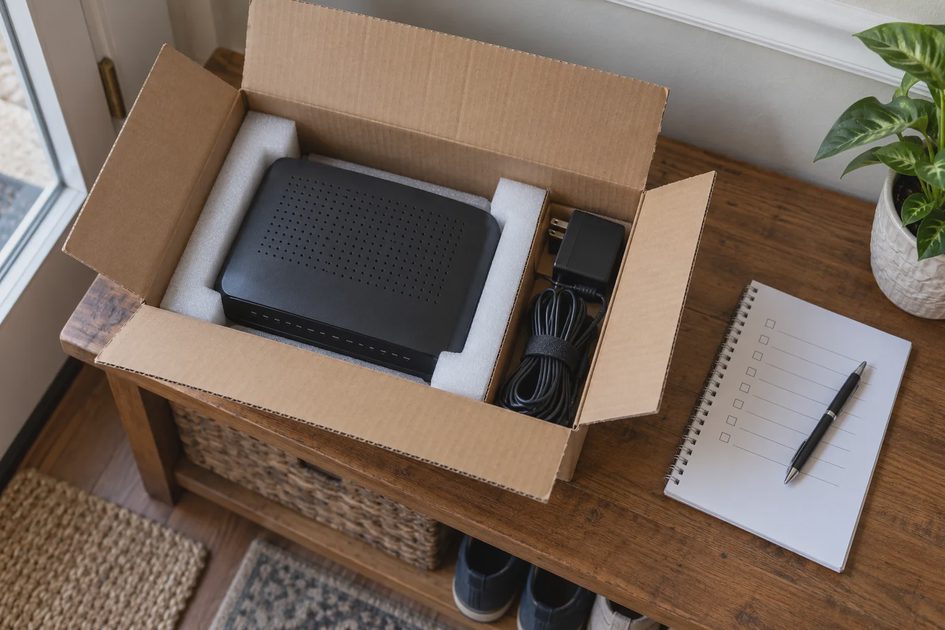
If a provider requires equipment back, follow its return instructions and retain proof of return. Do not assume mailing a router automatically removes every associated charge.
Confirm that the next bill reflects the agreement. Keep useful records until the matter is settled, and investigate an unexpected charge through the official provider channel.
Put the next replacement on the calendar
Your review should leave room for a phone battery, an aging laptop, or a router that eventually needs replacement.
Make a small inventory of the devices the family depends on. Record their condition, current limitations, and remaining software support where the manufacturer provides that information. Prioritize replacements by actual need and support, rather than age alone.
For a planning reserve, use:
Expected future purchase cost − money already reserved, divided by months until the planned purchase
For example, a hypothetical $600 replacement planned in 24 months, with $120 already set aside, calls for $20 per month toward the remaining $480.
That transfer is savings for a future expense, not another $240 of technology consumption this year. If the timing changes, update the reserve. It is a planning assumption, not a guarantee that the device will last exactly two years or that a future price will stay fixed.
Include reasonable repair and accessory allowances based on your own recent spending. Keep expensive purchases separate from the recurring-service comparison so an unusually big purchase year does not hide progress on monthly bills.
Leave the review with decisions, not just a total
Finish with a short action list:
Keep | Cut | Change |
|---|---|---|
A useful protection or storage service | A confirmed unused recurring subscription | An internet or mobile plan after checking the full terms |
Supported devices that still meet needs | Duplicate paid tools after testing a replacement | A repair or replacement plan with money reserved |
Assign an owner and date to each action. Schedule a brief follow-up after the next affected bills arrive, then revisit the full review in a year. A new charge, a major device problem, or the end of a promotional price can justify an earlier check.
The point is to understand what your family is paying for and make the next decision easier. Keep the technology that earns its place, complete the cancellations you agreed on, and give the next necessary purchase a place in the budget before it becomes an emergency.