
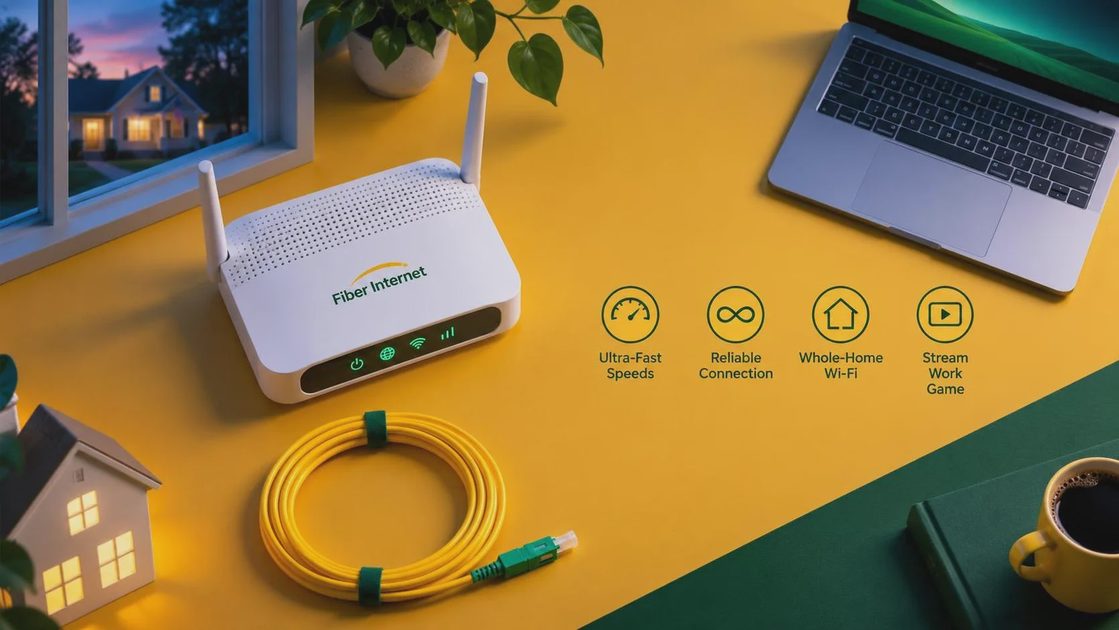
If your household is juggling video calls, streaming, and cloud backups, you may be asking what is fiber internet and whether it would help. Fiber internet sends data as pulses of light through thin strands of glass or plastic. When the fiber line reaches your home, it can offer fast uploads and downloads and a reliable connection. It is often worth considering if the price is competitive, but it will not automatically fix weak Wi-Fi inside your house.
How a fiber connection reaches your home
With fiber-to-the-home service, a provider runs fiber-optic cable to your house or apartment. The connection ends at a device called an optical network terminal, or ONT, which converts the light signals into a connection your home network can use. A router then shares that connection with your devices, usually over Wi-Fi and Ethernet cables.
The ONT may be a separate box or built into equipment supplied by the provider. Depending on the property, installation can involve running a new line, drilling a small entry hole, and placing equipment near a power outlet. Renters should check with their landlord or building management before scheduling work.
The important distinction is where the fiber stops. Some services described as fiber use fiber for part of the provider's network but rely on cable or another connection for the final stretch to your home. That does not make them bad, but performance can differ. Ask the provider whether the plan is fiber to your specific address and how the final connection reaches your home.
What is fiber internet better at than cable?
Fiber's most noticeable advantage for many households is upload speed: sending data from your devices to the internet. Uploads matter for video meetings, sending large files, backing up photos, and sharing video. Many fiber plans offer the same advertised upload and download speeds, though not every plan does.
Cable internet typically uses a coaxial cable for the final connection to the home. It can deliver fast downloads and is perfectly adequate for many households, but upload speeds are often lower than downloads. Compare the actual upload speed offered at your address rather than assuming either technology has a particular speed.

Fiber can also have low latency, which is the delay between sending a request and getting a response. That is useful for online gaming and video calls. Still, the game server, the route across the internet, and your home Wi-Fi all affect the result. Fiber is not a guarantee of lag-free gaming.
Both fiber and cable can experience outages or slowdowns. Ask neighbors about their provider's reliability, and remember that in-home fiber equipment generally needs power. A battery backup, where available and compatible, may help during a power outage, but the provider's network must also remain operational.
How much speed does a household need?
Start with what happens at your busiest time, not the biggest number in an ad. A household that streams, browses, and takes occasional video calls can often do well with a plan around 100–300 megabits per second, or Mbps. More simultaneous activity, frequent large downloads, or substantial cloud uploads can make a faster plan worthwhile.
A gigabit plan, commonly advertised as about 1,000 Mbps, is not necessary just because several devices are connected. It is most useful when multiple people regularly move large files or when the price difference is small. Advertised speeds are not a promise that every device will reach that number, especially over Wi-Fi.
Also look at the upload figure. A lower-priced fiber tier with a healthy upload speed may feel better for working from home than a cable plan with a higher advertised download speed but a much smaller upload allowance. For a fair comparison, check both numbers and the total monthly bill.
Check your Wi-Fi before paying for an upgrade
A faster connection to the house cannot overcome a poor signal in the back bedroom. Before changing plans, run a speed test near your router, then repeat it where you have trouble. If possible, test a computer connected directly to the router with an Ethernet cable as well. Close large downloads during the test and try again at a different time.
If the wired result is close to your plan's advertised speed but the distant room is much slower, focus on Wi-Fi coverage. Move the router into a more central, open spot and away from large obstructions. If your equipment is old or the layout makes coverage difficult, a better-placed access point or mesh system may help. You may not need to buy anything before trying a new location.
If a wired test is consistently far below the speed you pay for, restart the equipment and check the provider's outage information. Then contact support with the results. A device's Ethernet port, cable, or network settings can also limit speeds, so one test on one device is not the whole story.
What to ask before switching
First, check availability using your exact address. A provider may serve one side of a street but not the other, and apartment buildings can have separate installation arrangements. Confirm that the offer is fiber to your home, not just fiber somewhere in the neighborhood.
Then compare the full cost after any introductory period. Ask about installation, equipment rental, taxes and other fees, price increases, data limits, contract length, and early termination charges. Some plans include equipment; others may let you use a compatible router. Get the terms in writing before ordering.
If you use a home phone, alarm system, or medical alert device over your existing connection, ask the relevant provider whether it will work after a switch and what happens during a power outage. Do not cancel the old service until the new connection is installed and working, and check how to return any rented equipment.
For a household with unreliable uploads or a fiber offer priced close to cable, switching can be a sensible move. If your existing connection handles your busiest evenings and the trouble is limited to one room, fix the Wi-Fi first and keep the money you would spend on a faster plan.