
If you are searching for how to cancel spotify, you probably want one simple result: stop the next charge without accidentally deleting your playlists. The good news is that canceling Spotify Premium usually takes only a few minutes. The correct steps depend on who bills you, because Spotify, Apple, Google, and some mobile or internet companies handle subscriptions separately.
Canceling Premium does not normally erase your Spotify account, saved albums, playlists, or followers. It changes your plan to Spotify Free after the paid period ends. Before you begin, find the email address used for your Spotify account and check your latest bank or credit card statement. That small bit of preparation can prevent you from canceling the wrong account or chasing a charge that comes from another provider.
How to cancel Spotify on the website
For most people who subscribed directly through Spotify, the website is the fastest route. Open a browser on your phone or computer and go to Spotify.com/account. Sign in, then open the account overview or subscription area. Look for your current plan and choose the option to change or cancel Premium. Spotify will show a confirmation screen and may display a discounted offer before completing the cancellation.
Follow the prompts until you see a clear confirmation that your plan will end. Do not stop after selecting a cheaper plan or closing the page. Save the confirmation email or take a screenshot showing the end date. If you are learning how to cancel spotify because a renewal is coming soon, do this at least a day before the billing date. Cancellation normally prevents the next renewal, but it does not usually create a refund for time already paid.
Your account should remain usable through the date shown on the confirmation screen. After that date, Spotify Free typically includes advertising and fewer listening controls. Your library should still be available, although offline downloads and Premium-only features will stop working.

How to cancel Spotify through an iPhone or iPad
Deleting the Spotify app from an iPhone does not cancel an Apple-billed subscription. If Apple handles the payment, open Settings, tap your Apple Account name, choose Subscriptions, and select Spotify. Tap the cancellation option, then confirm the change. The exact wording can vary slightly by iOS version, but the subscription should show an expiration date after cancellation.
You can also review subscriptions through the App Store by opening your account menu and selecting Subscriptions. This is useful if Spotify does not appear in your Spotify account page. Apple sends the billing receipt, so Apple is the company that controls renewal and refund questions for this subscription.
If the cancel button is missing, check whether the plan has already been canceled or whether you are signed in with a different Apple Account. Families sometimes have several Apple IDs, especially when a parent originally started a student or family plan. Search email for “Spotify” and “Apple receipt” to identify the account connected to the payment.
How to cancel Spotify through Android or Google Play
For a subscription billed through Google Play, open the Google Play Store, tap your profile picture, choose Payments and subscriptions, and open Subscriptions. Select Spotify, tap the cancellation option, and complete the prompts. You can also visit the Google Play subscriptions page in a browser while signed in to the Google Account that made the purchase.
This is an important part of how to cancel spotify when the website shows no active Premium plan. Spotify may know that you have Premium, but the payment relationship is managed by Google Play. Canceling inside the Spotify app or uninstalling it will not necessarily stop a Google renewal.
After canceling, look for an email from Google confirming the end date. If you do not see Spotify in the list, switch Google accounts and check again. A work account, personal account, or older Gmail address could be responsible for the subscription. Also review your bank statement for the name of the billing company rather than relying only on memory.
When a phone or internet company bills you
Some Spotify plans are included with mobile, broadband, or other service packages. In that situation, the account page may tell you to contact the partner that provides the subscription. Sign in to your wireless or internet account, open its add-ons or entertainment section, and look for Spotify. If the option is not visible, contact customer support and ask specifically to remove the Spotify Premium add-on.
This matters because canceling the Spotify account alone may not remove a bundle charge. Ask for the effective cancellation date and whether removing Spotify changes your main service price. A bundle discount can work in either direction: removing an add-on might lower the bill, or it might end a promotional package. Get the answer before approving the change.
Keep the support chat transcript, case number, or confirmation email. If a charge appears after the promised end date, those records make the dispute easier. Do not cancel your entire mobile or internet service merely to remove one entertainment feature unless that is genuinely your plan.
What happens after Spotify Premium ends
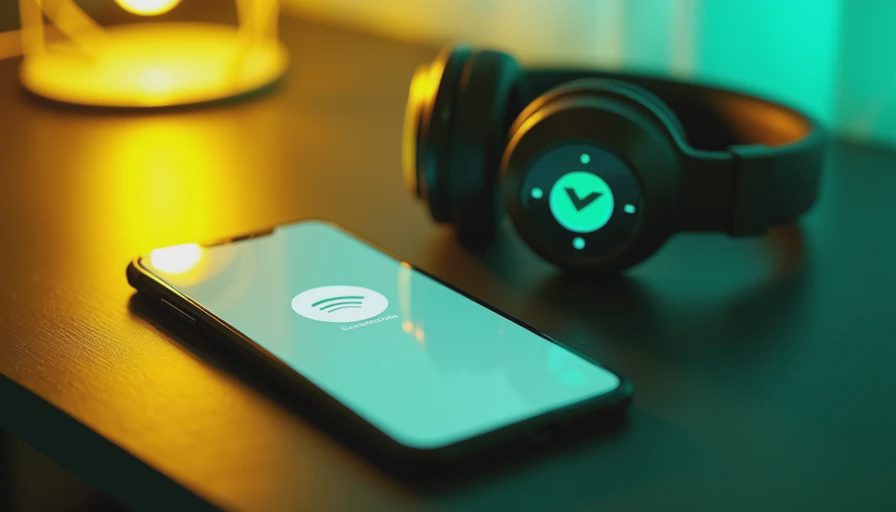
Many readers worry that canceling Premium will destroy years of music organization. It generally does not. Playlists, liked songs, followed artists, and account details normally stay attached to the account. What changes is the service level after the paid period expires.
You can expect advertising, restrictions on song selection in some listening situations, and no Premium offline downloads. Downloaded music requires an active Premium plan, so save any personal notes about albums or playlists before the end date if you need them elsewhere. Podcasts and other free features can remain available, depending on the account and region.
If you share a Family or Duo plan, other members will lose their Premium access when the plan ends. They do not necessarily lose their Spotify accounts, but they will return to the free service. Tell household members before canceling so nobody assumes a device or login has failed.
How to cancel Spotify when the account page is confusing
Start with the payment trail. Search your email for receipts from Spotify, Apple, Google, a wireless carrier, or an internet provider. Check whether the charge is monthly, annual, part of a bundle, or connected to a different email address. Then sign in to each likely billing account and look for an active subscription.
If Spotify says your account is Free but your card is still being charged, you may have another Spotify account. Try the password-reset process with old email addresses you use. Do not share passwords with a support agent, and avoid unofficial phone numbers found in random search results. Use Spotify’s official support pages or in-app help instead.
If you were charged after a confirmed cancellation, gather the receipt, cancellation date, and transaction details before contacting support. Refund policies depend on the billing company and circumstances, so the strongest first step is identifying who actually processed the payment.
A simple cancellation checklist
Before closing the process, confirm four things: the billing company, the account email, the final access date, and the confirmation message. If you subscribed directly, use the Spotify account page. If Apple or Google billed you, cancel in that platform’s subscription settings. If a carrier or internet provider billed you, remove the add-on through that company.
This approach is more reliable than deleting the app or ignoring the next statement. It also helps you decide whether to keep Spotify Free, switch to another music service, or restart Premium later. You can usually return to the same account without rebuilding your playlists.
The practical answer to how to cancel spotify is straightforward: cancel with the company taking the payment, confirm the end date, and keep the account if you want your music library preserved. Making everyday tech simple, safe, and affordable starts with stopping subscriptions you no longer use.